
Adding Future Date Options to a Date Filter
Step 1: Create Your Custom Date Options File
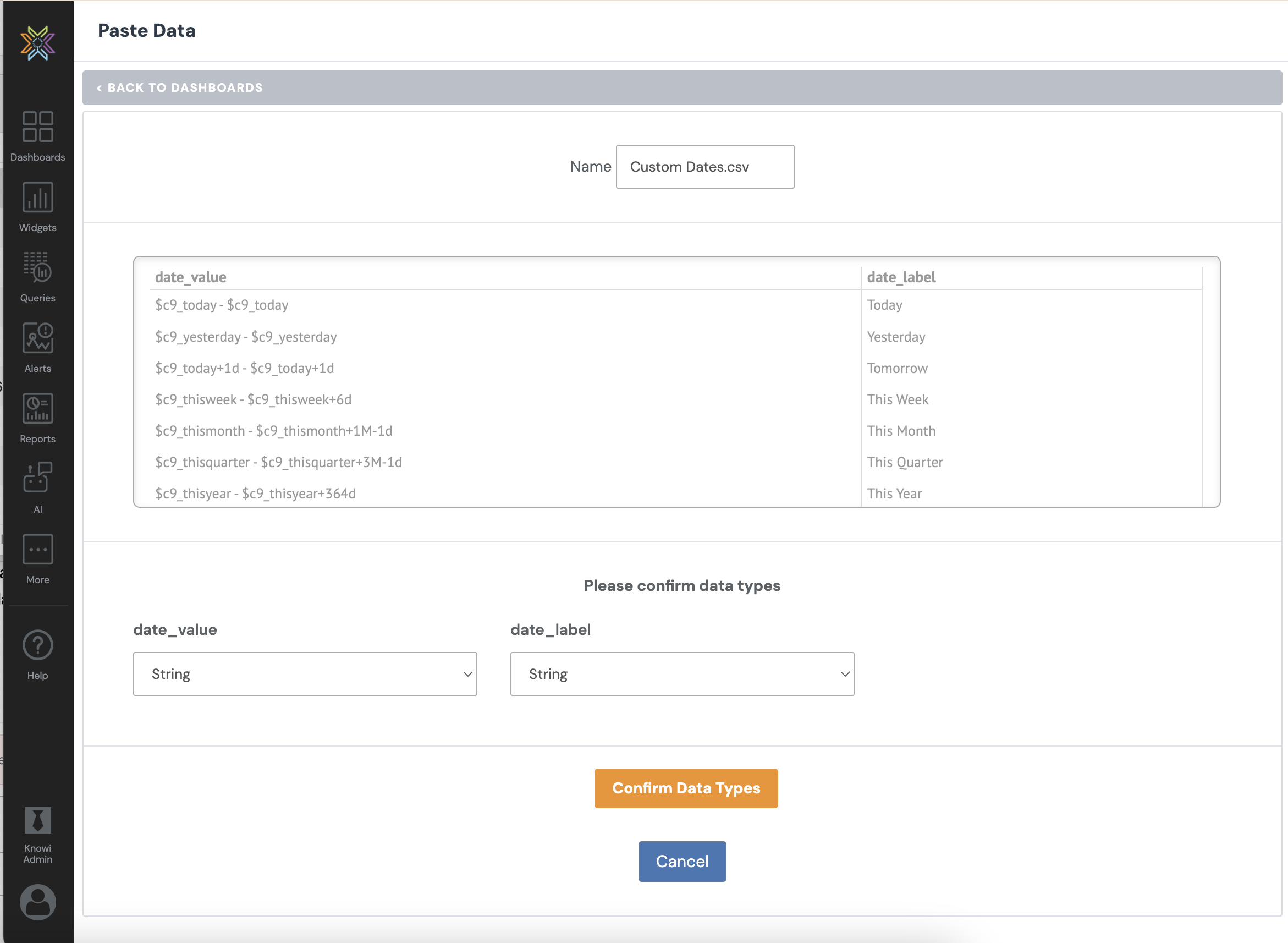
Create a CSV file with two columns, date_value and date_label. The column names are flexible. You only need one column for the value and one for the label.
Use Knowi $c9_ date tokens to define the start and end of each range. https://docs.knowi.com/hc/en-us/articles/115006665927-Date-Operators#01J7243HJFQXAA9M0S4JAERA09
Future facing examples:
| date_value | date_label |
|---|
$c9_today - $c9_today+7d |
Next 7 Days |
$c9_today - $c9_today+30d |
Next 30 Days |
$c9_today - $c9_today+90d |
Next 90 Days |
$c9_thisweek+7d - $c9_thisweek+13d |
Next Week |
$c9_thismonth+1M - $c9_thismonth+2M-1d |
Next Month |
$c9_thisquarter+3M - $c9_thisquarter+6M-1d |
Next Quarter |
Step 2: Upload the File as a Dataset
Step 3: Connect the Dataset to Your Date Filter
After uploading the dataset, connect it to the filter.
-
Open the dashboard, click the Filters icon, then click the Edit icon on your date filter.
-
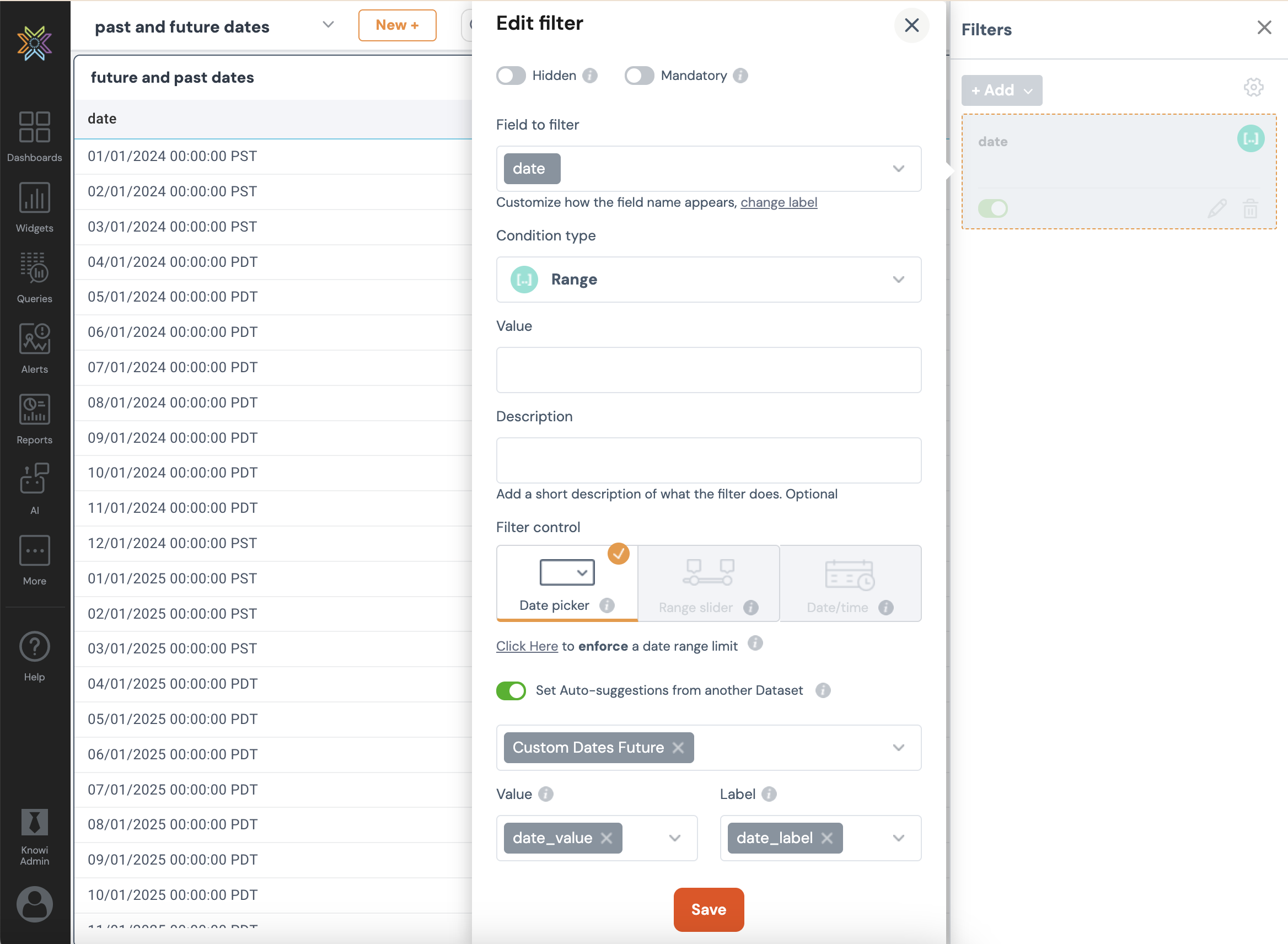
Set the condition type to Range and the filter control to Date Picker.
-
Toggle on Auto Suggestions from another Dataset and select the dataset you just uploaded.
-
Set Value to
date_valueand Label todate_label. -
Click Save.
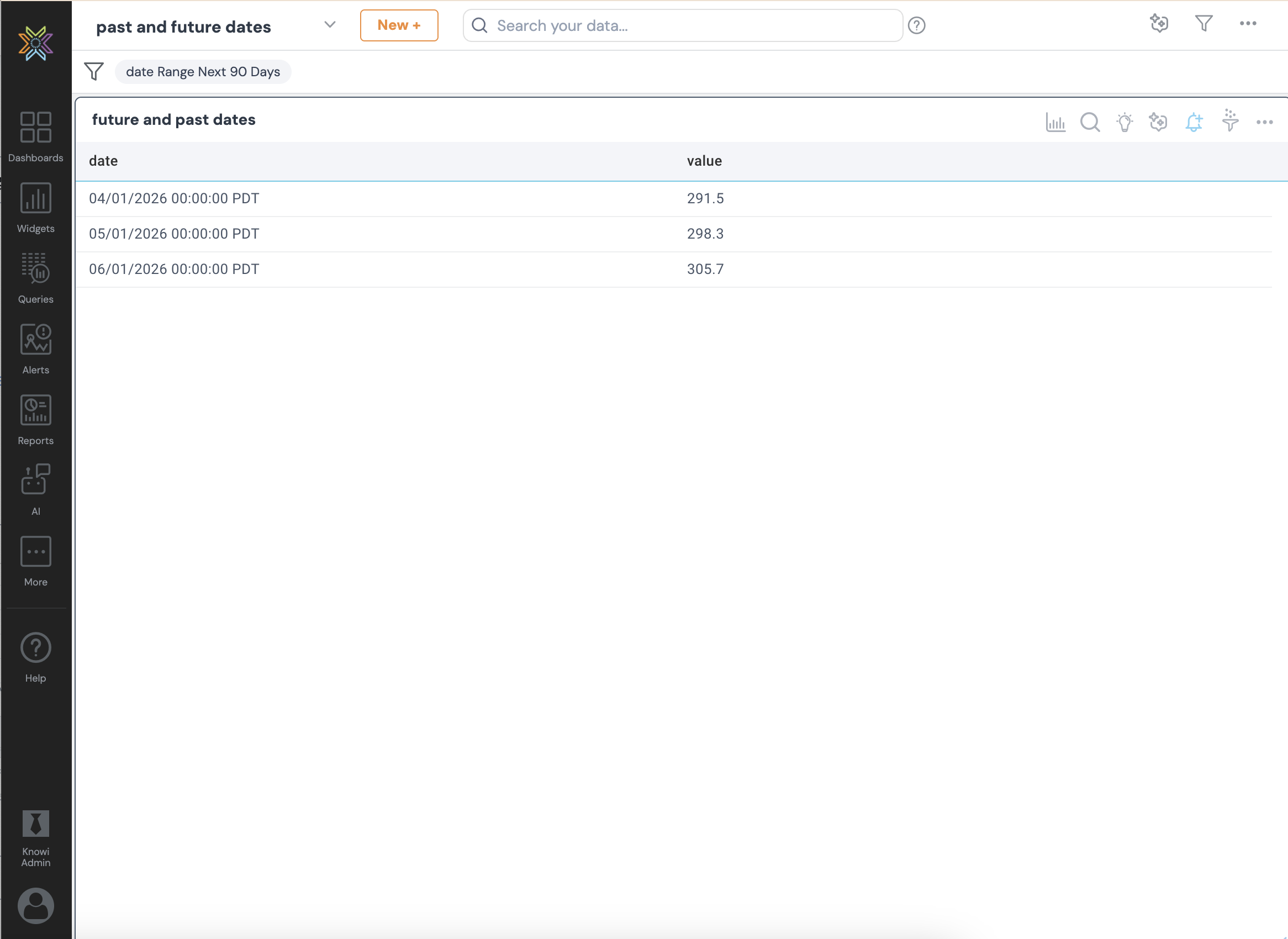
Below is an example CSV file. You can customize this file and include only the rows you want users to see.
date_value,date_label
$c9_today - $c9_today,Today
$c9_yesterday - $c9_yesterday,Yesterday
$c9_today+1d - $c9_today+1d,Tomorrow
$c9_thisweek - $c9_thisweek+6d,This Week
$c9_thismonth - $c9_thismonth+1M-1d,This Month
$c9_thisquarter - $c9_thisquarter+3M-1d,This Quarter
$c9_thisyear - $c9_thisyear+364d,This Year
$c9_today-7d - $c9_today,Last 7 Days
$c9_today-30d - $c9_today,Last 30 Days
$c9_today-90d - $c9_today,Last 90 Days
$c9_lastweek - $c9_thisweek-1d,Last Week
$c9_lastmonth - $c9_thismonth-1d,Last Month
$c9_thisquarter-3M - $c9_thisquarter-1d,Last Quarter
$c9_lastyear - $c9_thisyear-1d,Last Year
$c9_today - $c9_today+7d,Next 7 Days
$c9_today - $c9_today+30d,Next 30 Days
$c9_today - $c9_today+90d,Next 90 Days
$c9_thisweek+7d - $c9_thisweek+13d,Next Week
$c9_thismonth+1M - $c9_thismonth+2M-1d,Next Month
$c9_thisquarter+3M - $c9_thisquarter+6M-1d,Next Quarter
Please sign in to leave a comment.
0 comments