
Mapping Millions of Lat/longs
Here is a step by step on dealing with the display of a large number of lat/longs (using ElasticSearch):
1. Roll up the lat/longs to 2-3 decimal points, with a count for each rounded lat/long.
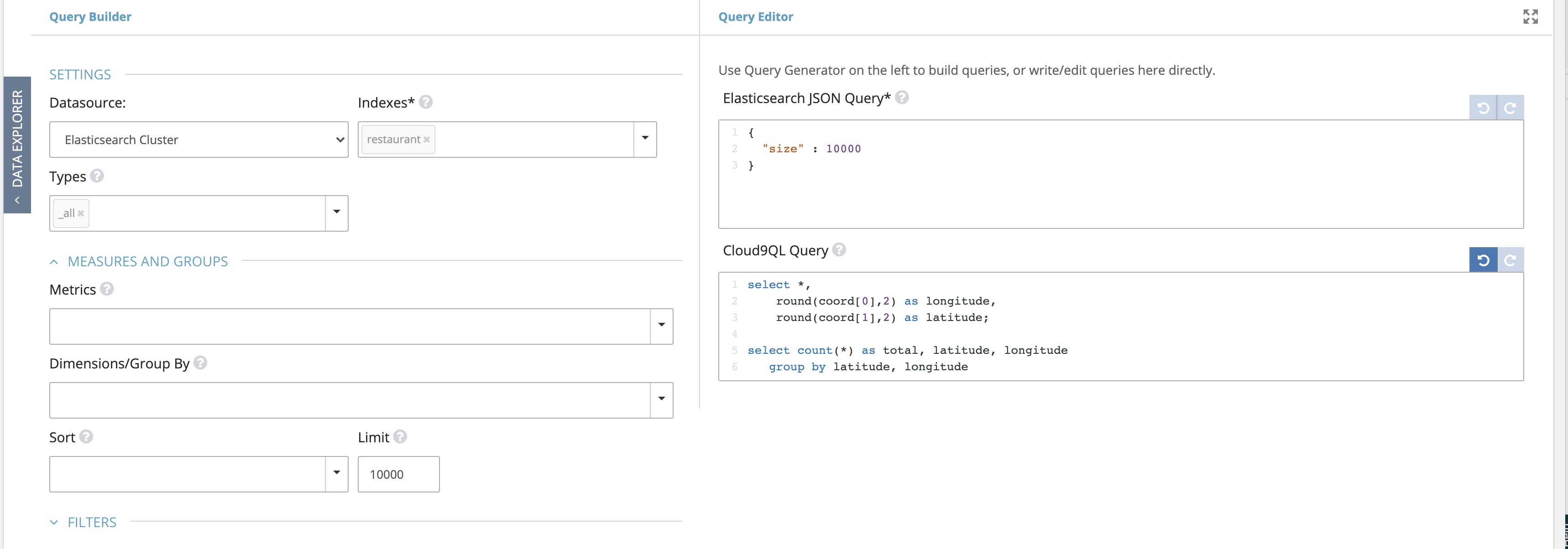
2. Use the Geo Clusters/Custom Maps visualization. Set Point Styles to ‘None’, count field to the count/total field from #1 above.
3. Paste the attached code into the Custom Javascript Handler section of the viz. This will detect the clicked polygon (automatically calculated) and pass it as a a drilldown parameter ($c9_bounds$).
4. Setup a direct ElasticSearch Query, with a runtime parameter called $c9_bounds$. Note that Lat/Longs must be in Geo Point data type in Elastic.

Create a Map Cluster visualization for this query, with appropriate Zoom levels.
5. Set up a drilldown from the parent cluster into the new widget, without any filter parameters.
Please sign in to leave a comment.
0 comments