
Can I set up alerts to only trigger during my business hours?
Yes. You can use Cloud9QL to specify days and times as part of the condition statement. For example, we have an alert that sends a message to our support Slack channel when certain customers sign-on to Knowi. This enables our support team to proactively engage with that customer, as needed. However, we only want those alerts to happen during our normal business hours.
We created a dataset and then set up an alert to trigger every minute to monitor that dataset. See below.
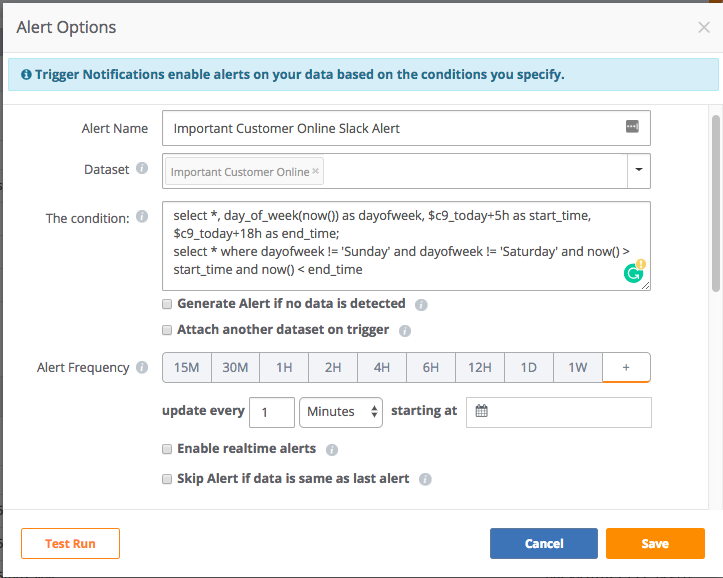
To set it so this alert only runs during our business hours, I added a condition which looks at the time and the day of the week. If the condition fails, the alert will not run.
select *, day_of_week(now()) as dayofweek, $c9_today+5h as start_time, $c9_today+18h as end_time;
select * where dayofweek != 'Sunday' and dayofweek != 'Saturday' and now() > start_time and now() < end_time
The first Cloud9QL statement is set values for some temporary fields:
- dayofweek - sets the current day
- start_time - sets the open window for when the alert should start running
- end_time - sets the time when the window closes and the alert should stop running
The second Cloud9QL statement is checking the current day is not Saturday or Sunday and the current time is in the alert window of between 5 AM PT and 6 PM PT.
Please sign in to leave a comment.
0 comments